
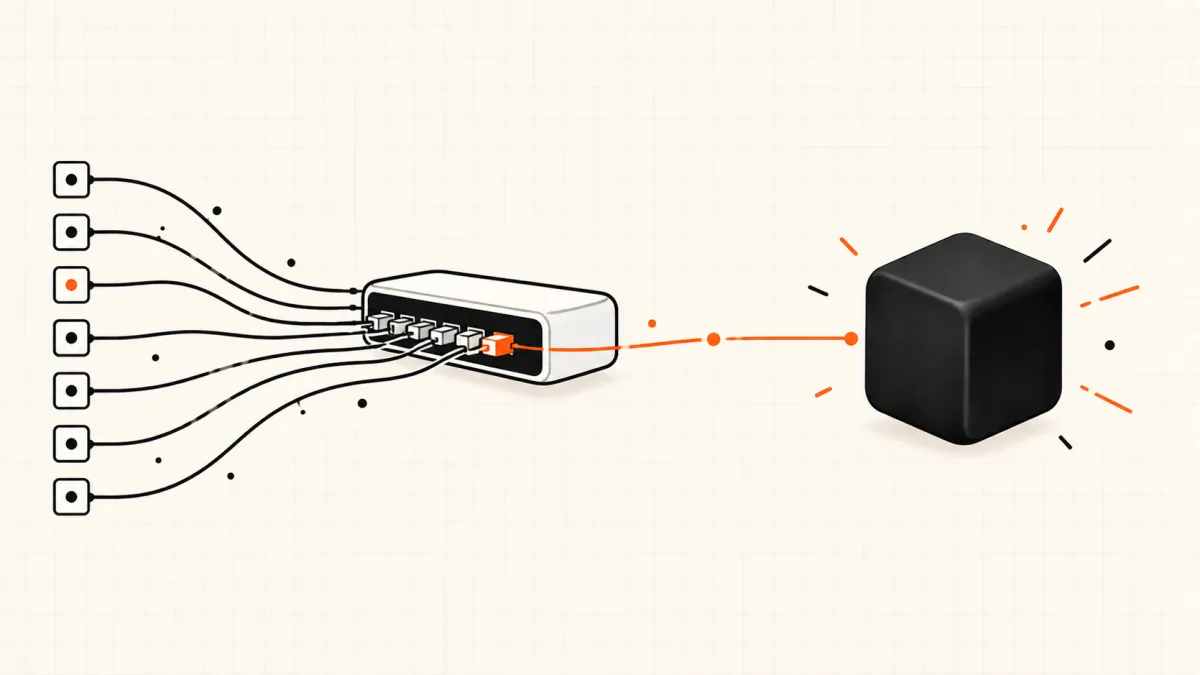
You already have an OpenRouter key, you heard TypeSafe's new model is on there, and the obvious move fails: you point your OpenAI client at openrouter.ai/api/v1/chat/completions, set the model to Jev, and get nothing you can use. That is not a broken listing. Jev does not chat, so OpenRouter serves it through two endpoints most OpenRouter users have never touched.
This guide answers the OpenRouter Jev question end to end: which model ids exist, which endpoint each one belongs on, working requests in curl, TypeScript and Python, what a call costs, and the three details that break first integrations. If you are still deciding what Jev AI is in the first place, start there and come back.
We run jev-ai.org on top of this exact route: our own backend calls Jev through OpenRouter, and the six production-shaped requests we measured on September 25, 2026 went through it. Everything below is checked against OpenRouter's Jev model page and its official Jev documentation as they read today.
Last updated September 30, 2026. Jev is in early access and OpenRouter's price, latency and limits for it can change — the model page linked below is the source of truth.
Is Jev on OpenRouter? Yes — Here Is the Short Answer
Jev is on OpenRouter as typesafe/jev-1.13, with ~typesafe/jev-latest as a rolling alias. OpenRouter listed it on September 18, 2026, three days after TypeSafe's launch. You need only an OpenRouter API key — no TypeSafe account and no waitlist — and calls are billed to your OpenRouter balance.
Here is what the Jev 1.13 model page showed on September 30, 2026:
| OpenRouter Jev at a glance | |
|---|---|
| Model id | typesafe/jev-1.13 (pinned) · ~typesafe/jev-latest (rolling alias) |
| Provider | TypeSafe — the only one; OpenRouter forwards every request to it |
| Price | $0.042 per million input tokens; output tokens $0 |
| Context | 32K tokens (the state you send plus your questions) |
| P50 latency | 0.22 s, measured by OpenRouter over the past week |
| Endpoints | Decisions API POST /api/alpha/decisions · System One API POST /api/v1/systemone |
| Question types | noul (yes/no probability), choice (one label), score (position on a scale) |
| Not supported | Chat completions, streaming, generated text or explanations |
Two things on that page tend to confuse people, so they get their own section before any code.
Three "Jev" Models on OpenRouter — and Which One You Want
Browse OpenRouter's TypeSafe page and you will find three entries. Only two of them are the decision model this guide is about.
| Model id | What it is | Endpoint | Use it when |
|---|---|---|---|
typesafe/jev-1.13 | The Jev decision model, pinned to the 1.13 release | Decisions or System One API | You tune thresholds and need answers to stay put |
~typesafe/jev-latest | Alias that always points at the newest Jev release | Decisions or System One API | You want upgrades automatically and can re-check thresholds |
typesafe/jev-router | A chat router that runs on Jev and picks another model and reasoning effort for each request | OpenAI-compatible chat completions | You want one chat endpoint that routes across models |
Jev Router is not a way to chat with Jev. It uses Jev behind the scenes to choose which LLM answers your chat message; the text you get back comes from that other model. If you want typed probabilities your code can branch on, you want typesafe/jev-1.13. If routing between models is the job you actually have, our LLM router page shows the same idea built on plain Jev decisions, where you own the routing rules.
Two Ways to Call Jev on OpenRouter
OpenRouter exposes Jev on two API surfaces. Both take the same OpenRouter key, bill the same account and answer the same three question types. The difference is whose request shape you already speak.
| Surface | Endpoint | Pick it when |
|---|---|---|
| Decisions API | POST https://openrouter.ai/api/alpha/decisions | You are writing new code with plain HTTP, or using OpenRouter's own TypeScript, Python or Go SDK |
| System One API | POST https://openrouter.ai/api/v1/systemone | You already use TypeSafe's official SDK and only want to swap the base URL and key |
Neither of them is /chat/completions. OpenRouter's own Jev guide is explicit that Jev "is not a drop-in replacement for a chat model", which is why an OpenAI-style client pointed at it gets you nowhere.
How to Use Jev on OpenRouter, Step by Step
Step 1: Create an OpenRouter key
Create a key at openrouter.ai/settings/keys and keep it on your server — never in browser code or a mobile bundle.
export OPENROUTER_API_KEY=sk-or-...
Step 2: Send your first decision
The request below is OpenRouter's own tutorial example: one support ticket, three questions of three types. state can be a string or a JSON object.
curl https://openrouter.ai/api/alpha/decisions \
  -H "Authorization: Bearer $OPENROUTER_API_KEY" \
  -H "Content-Type: application/json" \
  -d '{
    "model": "typesafe/jev-1.13",
    "state": {
      "customer_tier": "enterprise",
      "ticket": "My checkout page shows a blank screen after I click Pay. I have tried two browsers."
    },
    "questions": {
      "is_bug": {
        "type": "noul",
        "instructions": "Is the customer reporting a software defect?",
        "criteria": {
          "true": "The customer describes broken or unexpected product behavior.",
          "false": "The customer is asking a question or requesting a feature."
        }
      },
      "team": {
        "type": "choice",
        "instructions": "Which team should own this ticket?",
        "criteria": {
          "payments": "Checkout, billing, or payment processing issues.",
          "frontend": "Rendering, layout, or browser compatibility issues.",
          "account": "Login, permissions, or profile issues."
        }
      },
      "urgency": {
        "type": "score",
        "instructions": "How urgent is this ticket?",
        "criteria": [
          "Can wait for the next release",
          "Should be fixed this week",
          "Blocking revenue right now"
        ]
      }
    }
  }'
The same call in TypeScript with plain fetch:
const response = await fetch('https://openrouter.ai/api/alpha/decisions', {
  method: 'POST',
  headers: {
    Authorization: `Bearer ${process.env.OPENROUTER_API_KEY}`,
    'Content-Type': 'application/json',
  },
  body: JSON.stringify({
    model: 'typesafe/jev-1.13',
    state: {
      customer_tier: 'enterprise',
      ticket:
        'My checkout page shows a blank screen after I click Pay. I have tried two browsers.',
    },
    questions: {
      team: {
        type: 'choice',
        instructions: 'Which team should own this ticket?',
        criteria: {
          payments: 'Checkout, billing, or payment processing issues.',
          frontend: 'Rendering, layout, or browser compatibility issues.',
          account: 'Login, permissions, or profile issues.',
        },
      },
    },
  }),
});

const result = await response.json();
console.log(result.answers);
And in Python with requests:
import os

import requests

response = requests.post(
    "https://openrouter.ai/api/alpha/decisions",
    headers={
        "Authorization": f"Bearer {os.environ['OPENROUTER_API_KEY']}",
        "Content-Type": "application/json",
    },
    json={
        "model": "typesafe/jev-1.13",
        "state": "I was charged twice for my subscription.",
        "questions": {
            "refund": {
                "type": "noul",
                "instructions": "Is the customer asking for money back?",
            },
        },
    },
)

print(response.json()["answers"])
If you prefer an SDK, OpenRouter's TypeScript SDK exposes the same endpoint as openRouter.alpha.decisions.create({ decisionsRequest: { ... } }), with Python and Go equivalents in its SDK docs.
Step 3: Read the answers
This is the response OpenRouter captured from the live API for the three-question request above:
{
  "id": "gen-dec-1790015143-AIaTutprXsJ5EwohRSjb",
  "model": "typesafe/jev-1.13-20260917",
  "provider": "TypeSafe",
  "answers": {
    "is_bug": { "type": "noul", "noul": 0.96 },
    "team": {
      "type": "choice",
      "choice": "payments",
      "confidence": 0.67,
      "probabilities": { "payments": 0.78, "frontend": 0.22, "account": 0 }
    },
    "urgency": {
      "type": "score",
      "score": 1.99,
      "confidence": 0.99,
      "probabilities": { "0": 0, "1": 0, "2": 1 },
      "legend": {
        "0": "Can wait for the next release",
        "1": "Should be fixed this week",
        "2": "Blocking revenue right now"
      }
    }
  },
  "usage": { "input_tokens": 476, "output_tokens": 70, "cost": 0.000019992 }
}
How to read it:
is_bug.noul= 0.96 is the probability that the answer is yes. A value near 0.5 means "can't tell", not "medium bug".teampickedpayments, but look at the split: 0.78 against 0.22 forfrontend. That ticket is a reasonable candidate for a human check rather than silent auto-routing.urgency.score= 1.99 is a probability-weighted position on your scale, indexed from 0. It is a float on purpose; store it as one.usage.costis the USD charge for this call. 476 input tokens at $0.042 per million is where the 0.000019992 comes from; the 70 output tokens cost nothing.modelnames the dated build that answered. Log it — on~typesafe/jev-latestit is the only way to explain why yesterday's answer differs from today's.
Step 4 (optional): Point the TypeSafe SDK at OpenRouter
If your code already uses TypeSafe's official SDK, you do not need to rewrite it. Change the base URL and key, and the SDK sends its requests to OpenRouter's System One API:
import { TypeSafeClient } from '@typesafe-ai/sdk';

const client = new TypeSafeClient({
  apiKey: process.env.OPENROUTER_API_KEY,
  baseURL: 'https://openrouter.ai/api',
});

const result = await client.systemOne({
  model: 'jev-1.13',
  state: 'I was charged twice for my subscription.',
  questions: {
    refund: { type: 'noul', instructions: 'Is the customer asking for money back?' },
  },
});
The Python SDK takes the same two settings (api_key, base_url="https://openrouter.ai/api"). The System One API accepts TypeSafe's bare ids — jev-1.13 is routed as typesafe/jev-1.13 and jev-latest as ~typesafe/jev-latest. One thing does not carry over: the SDK's model listing calls GET /api/v1/models, which on OpenRouter returns OpenRouter's catalogue in OpenRouter's shape, so the SDK rejects it. Hard-code the model id instead.
Five Gotchas That Break First OpenRouter Jev Integrations
Most failed first integrations come down to one of these.
- Wrong endpoint.
/chat/completionsis for Jev Router and every chat model, not fortypesafe/jev-1.13. Use/api/alpha/decisionsor/api/v1/systemone. - Swapped
criteriacontainers. Achoicetakes an object (label → description). Ascoretakes an array, lowest tier first. Swap them and the request fails with a 400. On anoul,criteriais optional; OpenRouter's examples addtrue/falsedescriptions to sharpen the boundary. - Typing
scoreas an integer. It comes back as 1.99, 2.86 and so on. A schema that declares an integer rejects valid responses. - Trusting the alias with tuned thresholds.
~typesafe/jev-latestmoves when TypeSafe ships a new build. If your cut-offs were tuned on 1.13, pintypesafe/jev-1.13and upgrade on your own schedule. - Budgeting for 64K context. TypeSafe's own docs describe a 64K-per-request budget; OpenRouter lists Jev at 32K, covering the state plus your questions. Design for 32K on this route and split larger states.
Want to get the question design right before you write any code? Paste your own ticket into the Jev AI playground, edit the questions, and watch the probabilities move — editing the preloaded scenarios needs no account, and a run costs one of your free credits.
What a Jev Call on OpenRouter Actually Costs
OpenRouter's price is simple on paper: $0.042 per million input tokens, nothing for output. What that means per call depends on how long your state is, so here are real numbers. On September 25, 2026 we sent six production-shaped requests to typesafe/jev-1.13 (build jev-1.13-20260917) through OpenRouter's System One API, each asking several typed questions. The cost column is exactly the usage.cost OpenRouter returned; latency is the full round trip from our machine.
| Workload | Input tokens | usage.cost | Round trip |
|---|---|---|---|
| Answer grading | 795 | $0.00003339 | 969 ms |
| Intent routing | 539 | $0.00002264 | 318 ms |
| Citation check | 594 | $0.00002495 | 300 ms |
| Entity matching | 761 | $0.00003196 | 279 ms |
| Agent run review | 901 | $0.00003784 | 498 ms |
| Web page triage | 794 | $0.00003335 | 282 ms |
Every row checks out against the list price: 795 input tokens × $0.042 per million is exactly $0.00003339. The median round trip was about 310 ms from our location, consistent with the 0.22 s P50 OpenRouter measures closer to the provider. Price tracks the length of the state, not the number of questions, so ask everything you need about one state in a single call.
OpenRouter, Vercel AI Gateway, TypeSafe Direct or jev-ai.org?
OpenRouter is one of four ways to reach the same model. Each fits a different team, and the honest answer is that per-token price is not what separates them.
| Route | Best for | Key you need | Watch out for |
|---|---|---|---|
| OpenRouter | Teams already billing through OpenRouter; polyglot backends using plain HTTP | OpenRouter key | 32K context listed; decisions live on alpha and systemone endpoints, not chat |
| Vercel AI Gateway | TypeScript apps on the AI SDK | AI Gateway key or Vercel OIDC | Different names: model typesafe-ai/jev, question type boolean instead of noul — see our Vercel AI Gateway walkthrough |
| TypeSafe direct | Teams that want the vendor relationship and the full context budget | TypeSafe key | No waitlist since September 20, 2026; sign-ups paused briefly and reopened to everyone on September 27, but new signups no longer get free credits |
| jev-ai.org | Trying Jev before writing code, running a CSV through it, or an API with request-level safeguards | jev-ai.org key | Sold as token plans rather than at list price — check the plans against your volume |
If you are building an agent in Python, the fastest path on any route is LangChain's official package — our LangChain Jev tutorial shows how to point it at OpenRouter.
What jev-ai.org adds on top of the model is mostly the part that happens before and around a call. The Jev AI API uses the same state, questions, answers and usage shape as OpenRouter's System One API and accepts typesafe/jev-1.13 and ~typesafe/jev-latest as aliases, so an integration that already speaks it only changes its base URL and key. Around that you get validation that names the question and the shape it expected, idempotency keys, a rule that failed requests are never charged, a playground with nine editable scenarios, and batch processing for scoring a CSV without writing a loop. New accounts get five free credits with no card and no waitlist.
FAQ
Is Jev available on OpenRouter?
Yes. Jev is listed as typesafe/jev-1.13 with the rolling alias ~typesafe/jev-latest, served by TypeSafe as the single provider. OpenRouter listed it on September 18, 2026.
Do I need a TypeSafe account or waitlist access to use Jev on OpenRouter?
No. OpenRouter's documentation says an OpenRouter API key is enough for both the Decisions API and the TypeSafe SDK pointed at OpenRouter, with no separate signup or waitlist.
Can I call Jev with the OpenAI SDK through OpenRouter?
Not for decisions. OpenRouter's OpenAI-compatible chat endpoint serves chat models, including Jev Router, but typesafe/jev-1.13 is called through /api/alpha/decisions or /api/v1/systemone. Use plain HTTP, OpenRouter's SDK, or TypeSafe's SDK.
Is Jev free on OpenRouter?
There is no free Jev variant on OpenRouter as of September 30, 2026. Output tokens are free and input costs $0.042 per million, so a typical call in our tests cost two to four thousandths of a cent. If you want to try Jev without paying anything, the Jev AI playground runs on five free credits.
What is the difference between Jev and Jev Router on OpenRouter?
Jev (typesafe/jev-1.13) returns typed decisions with probabilities. Jev Router (typesafe/jev-router) is a chat endpoint that uses Jev to pick which model and reasoning effort should answer your message, and returns that model's text.
The Bottom Line
Jev is on OpenRouter, it works with nothing more than an OpenRouter key, and most first attempts fail only because they go through the chat endpoint.
- Use
typesafe/jev-1.13for decisions and pin it when your thresholds matter;typesafe/jev-routeris a different product. - Call
/api/alpha/decisionsfor new code, or/api/v1/systemoneto keep an existing TypeSafe SDK integration. - Keep
choicecriteria as an object,scorecriteria as an array, and scores as floats. - Expect to pay for input tokens only: a few thousandths of a cent per call at typical ticket lengths.
Before you wire it into production, prove the questions on real data. Run your own text through Jev in the playground, then move the same request body to OpenRouter or to the jev-ai.org API docs — whichever billing relationship suits your team.
Sources
- TypeSafe: Jev 1.13 — OpenRouter model page — Model id, alias, single provider, price, 32K context, release date and P50 latency.
- Jev documentation hub — OpenRouter docs — The Decisions and System One surfaces, no-waitlist access and billing.
- Jev Tutorial — OpenRouter docs — The curl, TypeScript and Python requests and the live response used above.
- TypeSafe SDK (Jev) — OpenRouter docs — Base URL change, bare model id mapping and the model-listing limitation.
- Models — TypeSafe AI docs — TypeSafe's own context budget, aliases and pinning guidance.
OpenRouter's price, latency and uptime figures are as displayed on September 30, 2026 and change over time. The six measured calls are our own, from September 25, 2026, and reflect our payloads and network location.