
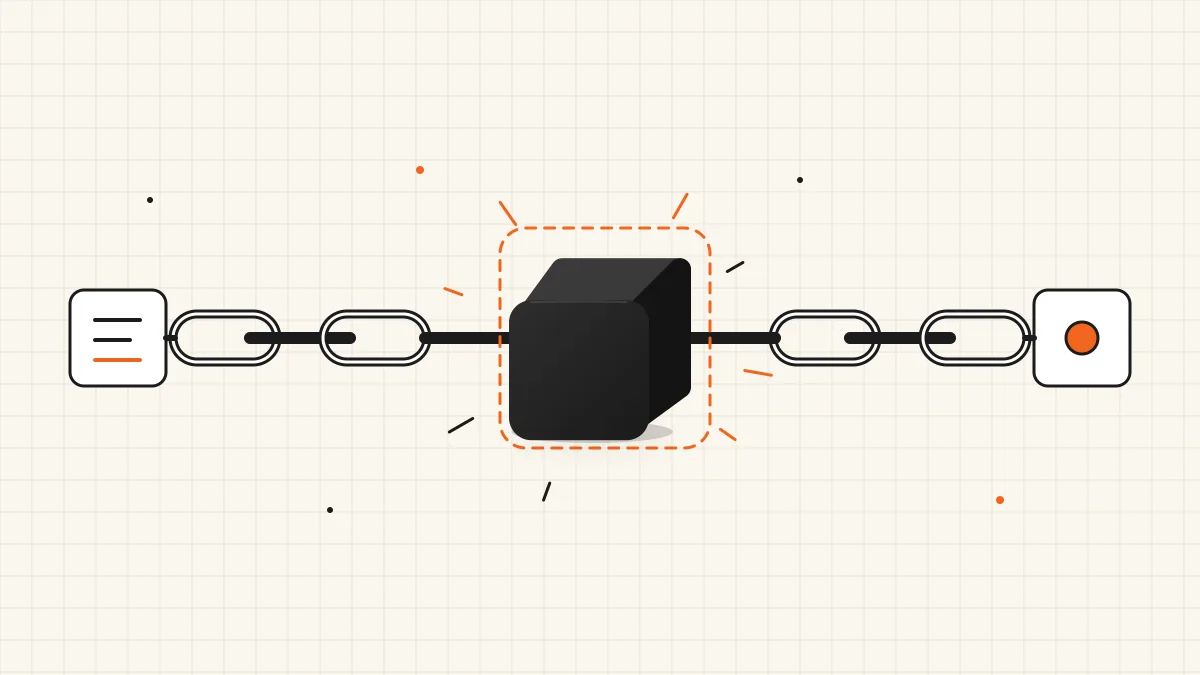
Your agent makes a dozen small decisions per run — which tool, which team, is this safe, is this done — and every one of them is a full LLM call you pay for and wait on. Jev was built for exactly those calls, and LangChain shipped an official integration within two days of TypeSafe's launch. The catch: it is an alpha package, the Python and JavaScript versions take questions in different places, and the Python API has already changed shape once since release.
This LangChain Jev tutorial gets you from install to a working classifier in Python and LangChain.js, shows how to compose it with other runnables, and walks through the two agent middlewares that put Jev inside create_agent. If you need the background first, read our explainer on what Jev AI is: a model that answers typed questions with probabilities instead of writing text.
We build jev-ai.org on Jev and call it in production through OpenRouter, but we have not run langchain-typesafe itself for this guide: the Python and JavaScript snippets are LangChain's documented examples. We went beyond those docs and read the package source on GitHub, so the defaults below — model, base URL, timeout, endpoint — are what the code actually does, not what a blog post remembers.
Last updated September 30, 2026. langchain-typesafe is an alpha release (0.0.1a3) and its middleware is marked experimental; APIs may change without notice.
LangChain Jev in One Minute
LangChain's Jev integration is the TypeSafeClassifier runnable, published as langchain-typesafe on PyPI and @langchain/typesafe on npm. It sends a state plus named questions to TypeSafe's System One API and returns typed answers — noul probabilities, choice labels and score positions — that your chain or agent can branch on.
| Python | JavaScript / TypeScript | |
|---|---|---|
| Package | langchain-typesafe | @langchain/typesafe (+ @langchain/core peer) |
| Version on Sept 30, 2026 | 0.0.1a3 (alpha, released September 20) | 0.0.1 (released September 18) |
| Class | TypeSafeClassifier | TypeSafeClassifier |
| Where questions go | In each invoke() call, with the state | In the constructor; invoke() takes only the state |
| Question helpers | Noul, Choice, Score, NoulCriteria classes | Plain objects with type: "noul" etc. — no helper classes |
| Default model | jev-latest | Constructor setting |
| Auth | TYPESAFE_API_KEY | TYPESAFE_API_KEY |
| Endpoint | TYPESAFE_BASE_URL + /v1/systemone, default https://api.typesafe.ai | Same env var and default |
| Agent middleware | Yes, experimental extra | Not in the package |
The row that causes the most confusion is the fourth one. Earlier Python versions set questions on the classifier and passed only the state to invoke; the current Python release takes both in invoke. JavaScript still puts questions in the constructor. Copying a snippet between the two, or from an example written against an early alpha, is the fastest way to a validation error.
Before You Start: Which Key Do You Have?
TypeSafeClassifier talks to TypeSafe's API by default, so you need a TypeSafe key from the TypeSafe console. Direct TypeSafe access started behind an early-access waitlist — TypeSafe dropped it on September 20, 2026, paused sign-ups a day later and reopened them to everyone on September 27, but new accounts no longer get free credits — which is why many people searching "langchain jev" do not have one yet. You have three options:
| You have | Set | Notes |
|---|---|---|
| A TypeSafe key | TYPESAFE_API_KEY | The default, documented path |
| An OpenRouter key | TYPESAFE_API_KEY to the OpenRouter key, TYPESAFE_BASE_URL=https://openrouter.ai/api | OpenRouter documents this base URL for TypeSafe-compatible clients and maps jev-latest and jev-1.13 to its own ids. LangChain supports "a compatible gateway" via this variable. We have not tested this combination end to end; send one test call before relying on it |
| Neither | A jev-ai.org key and a small RunnableLambda | See Using Jev in LangChain Without a TypeSafe Key below |
If OpenRouter is your route, our OpenRouter Jev guide covers its endpoints, ids and costs in detail.
Python Quickstart: TypeSafeClassifier
Step 1: Install and set the key
pip install langchain-typesafe
export TYPESAFE_API_KEY=...
LangChain's docs use uv add langchain-typesafe; either works. The package needs Python 3.10 or newer and langchain-core 1.6.2 or newer. Because it is an alpha, pin the exact version in your lockfile.
Step 2: Ask several questions about one state
from langchain_typesafe import Choice, Noul, Score, TypeSafeClassifier

classifier = TypeSafeClassifier()

response = classifier.invoke(
    {
        "state": (
            "The deploy failed twice and customers are seeing 500s. "
            "Can someone look now?"
        ),
        "questions": {
            "urgent": Noul(instructions="Does this need attention right now?"),
            "team": Choice(
                instructions="Which team should pick this up?",
                criteria={
                    "infra": "Deploys, availability, and on-call incidents.",
                    "billing": "Payments, invoices, and subscriptions.",
                },
            ),
            "severity": Score(
                instructions="How severe is the impact?",
                criteria=["Cosmetic.", "Degraded for some users.", "Full outage."],
            ),
        },
    }
)

print(response.nouls["urgent"].noul)
print(response.choices["team"].choice, response.choices["team"].confidence)
print(response.scores["severity"].score)
All three questions go out in one request and are evaluated independently and in parallel, so the third question costs almost nothing extra. state can be a string, a JSON object or array, or LangChain messages — a BaseMessage or a list of them is converted to role/content JSON automatically, even when nested inside a larger object.
Step 3: Read the response
Answers are keyed by your question ids and grouped by type:
response.nouls["urgent"].noul— the probability that the answer is yes. There is no separate confidence: distance from 0.5 is the confidence, and 0.5 means "can't tell", not "medium".response.choices["team"]—.choice(one of your labels),.probabilities(every label) and.confidence(how concentrated the distribution is — not the same as the winning label's probability).response.scores["severity"]—.scoreis a probability-weighted position on your scale and is usually fractional;.legendand.probabilitiesare keyed by the zero-based level.response.model,response.usage,response.request_id— log the model on every call. On the defaultjev-latestalias it is the only record of which build answered.
Step 4: Configure what the defaults hide
These are the constructor settings, as defined in the package source:
| Setting | Default | When to change it |
|---|---|---|
model | "jev-latest" | Pin a concrete id (TypeSafe's docs list jev-1.13.0) once you tune thresholds, so a new release cannot move them |
api_key | TYPESAFE_API_KEY | Pass explicitly when a process serves several accounts |
base_url | TYPESAFE_BASE_URL, else https://api.typesafe.ai | Point at a compatible gateway, test server or private deployment |
timeout | 30 seconds | Lower it on latency-sensitive paths; Jev usually answers in a fraction of a second |
client, async_client | Created for you | Inject your own clients for proxies, custom transports or tests |
Keep one classifier instance alive rather than creating one per request, so connections are pooled.
Composing Jev With Other Runnables
TypeSafeClassifier is a regular LangChain Runnable, so everything you already know applies: ainvoke for async code, batch for many states, and | to pipe the result into your own logic.
from langchain_core.runnables import RunnableLambda

QUESTIONS = {
    "team": Choice(
        instructions="Which team should pick this up?",
        criteria={
            "infra": "Deploys, availability, and on-call incidents.",
            "billing": "Payments, invoices, and subscriptions.",
        },
    ),
}


def route(response):
    team = response.choices["team"]
    if team.confidence < 0.6:
        return "human_review"
    return team.choice


triage = classifier | RunnableLambda(route)

queue = triage.invoke({"state": "I was charged twice this month.", "questions": QUESTIONS})

open_tickets = [
    "The deploy failed twice and customers are seeing 500s.",
    "Please refund the duplicate charge on my invoice.",
]
queues = triage.batch(
    [{"state": ticket, "questions": QUESTIONS} for ticket in open_tickets]
)
The 0.6 floor is a placeholder. Pick yours by running a few hundred labelled examples through the same questions and choosing the cut-off where automatic mistakes become more expensive than a human look. LangChain reports that in its own Jev-as-a-judge experiment, scores barely moved across 100 repeated runs — useful, because a stable model makes a threshold tuned today still mean something next week.
Every classification is traced in LangSmith with its token usage, so you can see Jev's decisions next to the rest of your agent.
Jev Agent Middleware: Model Routing and Tool-Risk Gating
The Python package includes two experimental middlewares that plug Jev into create_agent. They need the experimental extra:
pip install "langchain-typesafe[experimental]" langchain-openai
| Middleware | Hook | Decision |
|---|---|---|
ModelRouterMiddleware | before_agent, wrap_model_call | Which model handles this run |
AutoModeMiddleware | wrap_tool_call | Whether a tool call is too risky to run |
Route each run to the cheapest capable model
from langchain.agents import create_agent
from langchain_typesafe.experimental.middleware import (
    ModelChoice,
    ModelRouterMiddleware,
)

router = ModelRouterMiddleware(
    choices={
        "fast": ModelChoice(
            model="openai:gpt-5.6-terra",
            criteria="Direct lookups, extraction, and localized changes with explicit targets.",
        ),
        "powerful": ModelChoice(
            model="openai:gpt-6-astra",
            criteria="Architecture, novel root-cause reasoning, and high-stakes decisions.",
        ),
    },
    instructions="Choose the least costly model that can complete the task safely.",
)

agent = create_agent("openai:gpt-5.6-terra", middleware=[router])
The router classifies the latest human message once, uses the chosen model for every model call in the run, and leaves its decision in agent state as result["model_route"]. The criteria strings are where the quality comes from: describe the kind of task, not the model.
Refuse risky tool calls
from langchain.agents import create_agent
from langchain.tools import tool
from langchain_typesafe.experimental.middleware import AutoModeMiddleware


@tool
def delete_all_backups() -> str:
    """Delete every backup. This action cannot be undone."""
    return "Backups deleted."


agent = create_agent(
    "openai:gpt-6-astra",
    tools=[delete_all_backups],
    middleware=[AutoModeMiddleware(tools=[delete_all_backups])],
)
Only the tools you list are classified. When Jev judges a call risky or insufficiently authorised, the agent gets an error ToolMessage instead of running the tool. Two cautions from LangChain's own docs: this middleware refuses calls rather than asking for approval, so pair it with human-in-the-loop middleware if a person should decide; and everything in the tool arguments and conversation is sent to TypeSafe, so keep secrets out of both. To define risk for your own tools, override instructions or pass criteria=NoulCriteria(true=..., false=...).
For decisions these two do not cover, write a custom middleware: TypeSafeClassifier accepts state["messages"] directly, so a before_agent or before_model hook can classify the conversation without converting it first.
LangChain.js Quickstart
npm install @langchain/typesafe @langchain/core
import { TypeSafeClassifier } from "@langchain/typesafe";

const classifier = new TypeSafeClassifier({
  dangerouslyAllowBrowser: false,
  questions: {
    urgent: {
      type: "noul",
      instructions: "Does this need attention right now?",
    },
    team: {
      type: "choice",
      instructions: "Which team should pick this up?",
      criteria: {
        infra: "Deploys, availability, and on-call incidents.",
        billing: "Payments, invoices, and subscriptions.",
      },
    },
    severity: {
      type: "score",
      instructions: "How severe is the impact?",
      criteria: ["Cosmetic.", "Degraded for some users.", "Full outage."],
    },
  },
});

const response = await classifier.invoke(
  "The deploy failed twice and customers are seeing 500s. Can someone look now?"
);

console.log(response.nouls.urgent.noul);
console.log(response.choices.team.choice, response.choices.team.confidence);
console.log(response.scores.severity.score);
What differs from Python:
- Questions and model are fixed in the constructor. Create one classifier per question set.
nouls,choicesandscoresare non-enumerable getters.JSON.stringify(response)and object spread drop them — store or sendresponse.answersinstead.- Options:
apiKey,baseUrl,timeout(30,000 ms default),maxRetries(2 by default; 0 disables) and a customfetch. Per-call settings such assignal,tagsandmetadatago in the second argument toinvoke. streamyields one complete result, not incremental answers — Jev does not produce partial output.- Errors are
TypeSafeError,TypeSafeAPIError,TypeSafeAuthenticationErrorandTypeSafeRateLimitError; check them with each class'sisInstance(error). Avoid logging raw API error bodies, which can contain the state you sent.
Using Jev in LangChain Without a TypeSafe Key
If you have neither a TypeSafe key nor an OpenRouter account, you can call the Jev AI API on jev-ai.org from any chain with a few lines. We do not claim TypeSafeClassifier itself works against jev-ai.org — our endpoint canonicalises to a trailing slash the classifier does not send — so wrap the documented request in a RunnableLambda instead:
import os

import requests
from langchain_core.runnables import RunnableLambda


def jev_decide(payload: dict) -> dict:
    response = requests.post(
        "https://jev-ai.org/api/v1/systemone/",
        headers={"Authorization": f"Bearer {os.environ['JEV_API_KEY']}"},
        json={"model": "jev-1.13", **payload},
        timeout=20,
    )
    response.raise_for_status()
    return response.json()["answers"]


jev = RunnableLambda(jev_decide)

answers = jev.invoke(
    {
        "state": "Order #8814 arrived with a cracked screen. Third time this quarter.",
        "questions": {
            "refund_requested": {
                "type": "noul",
                "instructions": "Is the customer asking for a refund?",
            },
            "queue": {
                "type": "choice",
                "instructions": "Route this ticket to the team that owns the first reply.",
                "criteria": {
                    "billing": "Invoices, refunds, duplicate charges.",
                    "technical": "API errors, integrations, outages.",
                },
            },
        },
    }
)
The request and answer shapes match our API documentation: a choice takes criteria as an object, a score as an array, and a malformed body comes back as a 400 that names the question and the shape it expected, before the model runs. Failed requests are never charged, and new accounts start with five free credits and no waitlist. Before wiring questions into an agent, it is worth tuning them in the Jev AI playground, where you can edit the text and watch the probabilities move.
Where LangChain Fits Among the Jev Integrations
| Your stack | Shortest path |
|---|---|
| Python agents on LangChain or LangGraph | langchain-typesafe — this guide |
| Next.js or TypeScript on the Vercel AI SDK | experimental_evaluate with typesafe-ai/jev — see our Vercel AI Gateway Jev guide |
| Any language, billing through OpenRouter | Plain HTTP to OpenRouter's Decisions API — see the OpenRouter guide |
| No code yet, or a CSV of cases | The jev-ai.org playground and batch processing |
FAQ
Is there an official LangChain integration for Jev?
Yes. LangChain maintains langchain-typesafe for Python and @langchain/typesafe for JavaScript. Both expose Jev through the TypeSafeClassifier runnable and are documented under TypeSafe on LangChain's integrations pages.
Is langchain-typesafe stable?
Not yet. The Python package is at 0.0.1a3, an alpha, and its agent middleware sits under an experimental module whose API may change without notice. Pin the version and re-test when you upgrade.
Which Jev model does TypeSafeClassifier use?
jev-latest by default, a rolling alias for TypeSafe's newest release. Pass a concrete model id once you depend on stable thresholds; TypeSafe's docs list jev-1.13.0 as the current version.
Can I use Jev as the chat model in create_agent?
No. Jev does not generate text, so it cannot be the model that writes your agent's replies. It is used alongside that model — choosing which model runs, gating tool calls, or classifying state inside middleware.
Does LangChain Jev work with LangGraph?
Yes. TypeSafeClassifier is a runnable, so you can call it inside any LangGraph node and branch on its answers with conditional edges. LangChain has written about pairing the two for production workflows where code owns the flow and Jev makes the narrow judgements.
The Bottom Line
LangChain's Jev integration is real, official and small — which is exactly why it is easy to misuse.
- Install
langchain-typesafe(Python) or@langchain/typesafe(JS) and useTypeSafeClassifier. - In Python, pass
stateandquestionstogether toinvoke; in JavaScript, put questions in the constructor. - Pin a concrete model id before you tune thresholds; the default is the moving
jev-latest. - Use the experimental middleware for model routing and tool gating, and pair tool gating with human review.
- No TypeSafe key? Point the classifier at a compatible gateway, or wrap the jev-ai.org API in a
RunnableLambda.
The quickest way to know whether your agent's decisions suit Jev is to test one. Open the Jev AI playground, paste a real message your agent handles, and see whether the probabilities agree with what you would decide.
Sources
- TypeSafe integrations (Python) — LangChain docs — Install,
TypeSafeClassifierusage, decision types and both agent middlewares. - TypeSafe integrations (JavaScript) — LangChain docs —
@langchain/typesafesetup, constructor options, error classes and response accessors. - langchain-typesafe source — GitHub — Default model, base URL, endpoint path and timeout.
- Building a Harness with Jev — LangChain blog — LangChain's rationale for using Jev inside the agent loop.
- Models — TypeSafe AI docs — Versioned model ids, aliases and pinning guidance.
Package versions and defaults are as published on September 30, 2026. The integration is in alpha and its interfaces may change.