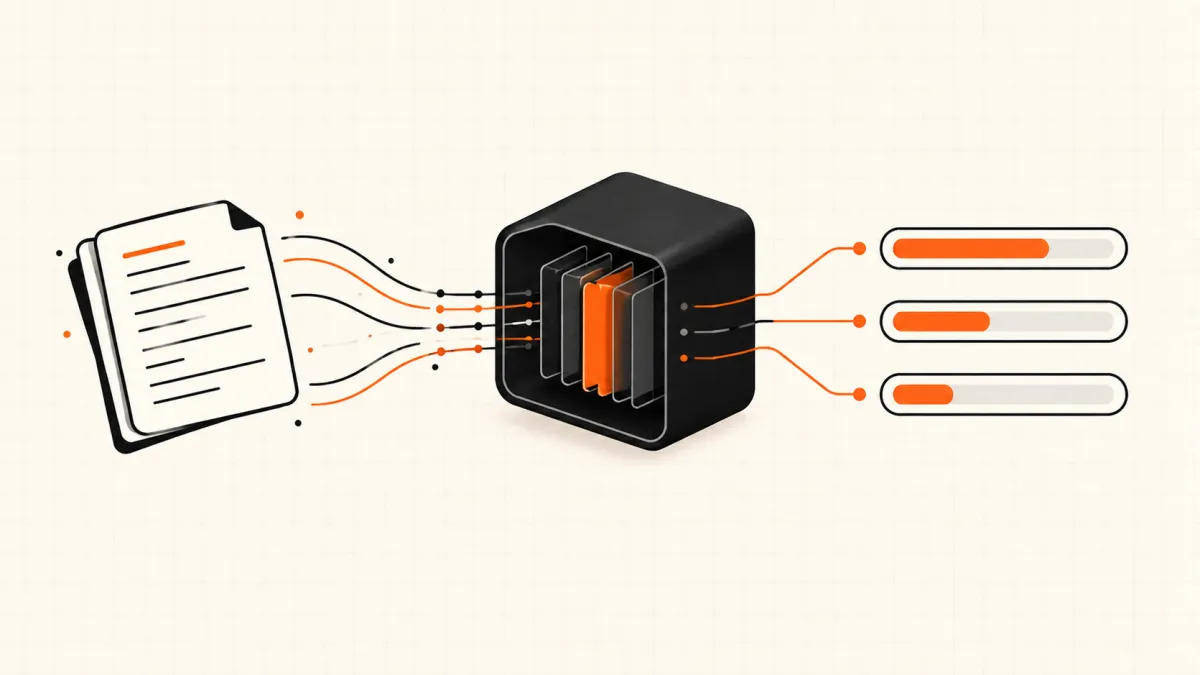
Edge middleware, Next.js Route Handlers, and Cloudflare Workers demand two things that chat LLMs struggle to deliver: strict type safety and sub-second round trips. Jev AI TypeScript integrations solve both by pairing TypeSafe AI's System-1 decision model (typesafe/jev-1.13, typesafe/jev-1.14, or ~typesafe/jev-latest) with standard Web fetch and Zod runtime validation.
In this Jev AI TypeScript guide, you will build a zero-dependency typed client for OpenRouter's Decisions API (POST https://openrouter.ai/api/alpha/decisions) and System One API (POST https://openrouter.ai/api/v1/systemone), enforce strict schemas for noul, choice, and score questions, and deploy Jev AI TypeScript decision checks inside edge workers at ~310 ms live median latency and $0.042 per 1M input tokens ($0 output tokens).
Why Jev AI TypeScript Fits Edge Runtimes
Cloudflare Workers, Vercel Edge Functions, and Deno Deploy penalize heavy SDK bundles and long-lived streaming sockets. A Jev AI TypeScript client needs only native fetch—no Node-only libraries, no streaming token parsers, and no brittle JSON.parse retries on chat prose.
| Runtime Requirement | Jev AI TypeScript Client | Chat LLM SDK at the Edge |
|---|---|---|
| Bundle footprint | Native fetch (~1 KB wrapper) | Heavy provider SDK + stream parser |
| Live median latency | ~310 ms (our 6 live calls) | 2–23 s per decision |
| TypeSafe workflow eval | 0.4 s · $0.0004/case | 23 s · $0.084/case |
| Context & pricing | 32K input · $0.042/1M input · $0 output | Input + generated output tokens |
| Response shape | Deterministic typed probabilities | Unstructured text requiring JSON guard |
In a live safety classifier reported by TechCrunch, a Vercel engineer recorded 5–18× faster execution after switching from a chat LLM to Jev—making Jev AI TypeScript ideal for request-path moderation, routing, and agent guardrails.
Step 1: Strongly Typed Jev AI TypeScript Question Schemas
Start by modeling the three Jev primitives (noul, choice, and score) in TypeScript so your editor catches invalid payloads at compile time:
export type JevQuestion =
  | { type: 'noul'; question: string }
  | { type: 'choice'; question: string; choices: readonly string[] }
  | { type: 'score'; question: string; tiers: readonly string[] };

export interface JevDecisionPayload<Q extends Record<string, JevQuestion>> {
  model: 'typesafe/jev-1.13' | 'typesafe/jev-1.14' | '~typesafe/jev-latest';
  state: string;
  questions: Q;
}

export async function runJevDecisions<Q extends Record<string, JevQuestion>>(
  payload: JevDecisionPayload<Q>,
  apiKey: string,
  signal?: AbortSignal,
) {
  const res = await fetch('https://openrouter.ai/api/alpha/decisions', {
    method: 'POST',
    headers: {
      Authorization: `Bearer ${apiKey}`,
      'Content-Type': 'application/json',
    },
    body: JSON.stringify(payload),
    signal,
  });

  if (!res.ok) {
    throw new Error(`Jev decision request failed (${res.status})`);
  }
  return res.json();
}
This Jev AI TypeScript wrapper accepts an AbortSignal so you can enforce a hard edge timeout (for example, AbortSignal.timeout(1500)) and degrade gracefully if upstream latency spikes.
Step 2: Running Jev AI TypeScript in a Cloudflare Worker or Next.js Route
Because Jev AI TypeScript relies purely on standard Web APIs, the exact same handler runs in Next.js App Router, Cloudflare Workers, or Vercel Edge Functions. Keep your API key in server secrets (env.OPENROUTER_API_KEY or process.env.OPENROUTER_API_KEY)—never ship keys to browser bundles:
export async function checkUserSubmission(text: string, apiKey: string) {
  const data = await runJevDecisions(
    {
      model: 'typesafe/jev-1.14',
      state: text,
      questions: {
        is_spam: { type: 'noul', question: 'Is this submission automated spam or phishing?' },
        category: {
          type: 'choice',
          question: 'Which product area does this feedback belong to?',
          choices: ['billing', 'api', 'docs', 'other'],
        },
      },
    },
    apiKey,
    AbortSignal.timeout(2000),
  );

  return data;
}
If you deploy on Vercel, you can also route Jev AI TypeScript traffic through Vercel AI Gateway for centralized observability and failover, or connect directly via OpenRouter Jev.
Three Jev AI TypeScript Patterns for Production
- Validate responses with Zod at the boundary: Parse returned probability numbers with
z.number().min(0).max(1)so downstream branching logic in your Jev AI TypeScript service never seesNaNorundefined. - Pin model versions in config: Lock
typesafe/jev-1.14(ortypesafe/jev-1.13) in your Jev AI TypeScript constants instead of~typesafe/jev-latestonce you calibrate thresholds. - Pack parallel checks into one
state: Combine spam detection, intent routing, and escalation flags in a single Jev AI TypeScript call ($0.000023–$0.000038 per measured call on jev-ai.org) rather than firing sequential fetches.
Want to test your schema JSON before wiring up Jev AI TypeScript? Try live prompts on the Jev AI Model Playground, or read the Jev AI API Quickstart for curl and endpoint details.
Frequently Asked Questions
Does Jev AI TypeScript work in Cloudflare Workers and Vercel Edge?
Yes. A Jev AI TypeScript client uses standard Web fetch and JSON against POST /api/alpha/decisions or POST /api/v1/systemone, so it runs natively on Cloudflare Workers, Vercel Edge, Deno, Bun, and Node.js.
Can I call Jev AI TypeScript directly from React client components?
Never put your OpenRouter or TypeSafe API key in browser code. Always invoke Jev AI TypeScript from a server action, Route Handler, or Worker endpoint.
How much does a Jev AI TypeScript decision call cost?
OpenRouter bills typesafe/jev-1.13 and typesafe/jev-1.14 at $0.042 per 1M input tokens and $0 output tokens—roughly $0.000023–$0.000038 per production-shaped call.
Should I use the OpenAI TypeScript SDK for Jev?
No. Chat completion endpoints do not expose Jev's typed noul, choice, and score decision schemas. Use a typed fetch wrapper or TypeSafe's System One API for Jev AI TypeScript.
Sources
- TypeSafe AI Documentation — Introduction — Official
noul,choice, andscoredecision schemas. - OpenRouter — typesafe/jev-1.13 Model Page — Decisions API endpoint, 32K context window, and $0.042/1M input pricing.
- TypeSafe AI Workflow Evals — Published 0.4 s / $0.0004 vs. 23 s / $0.084 workflow benchmark.
- Cloudflare Workers Fetch API Docs — Standard Web
fetchandAbortSignal.timeoutedge runtime support.