
Jev 1.13 Decision Model
When classification thresholds are tuned, a shifting model breaks production. Jev 1.13 pins your evaluation build for stable, repeatable decisions.
- Jev 1.13 model profile
- Pinned build (20260917)
- Default on jev-ai.org
- Noul, choice and score
- From $0.12/M tokens
Specifications
Jev 1.13 Model Specifications
Build identifiers and operating parameters for Jev 1.13. Pass model: "jev-1.13" in API requests (upstream ID jev-1.13.0). See supported models for details.
| Specification | Value | Operational details |
|---|---|---|
| Model ID | jev-1.13 | Aliases: jev1.13, jev-1-13 |
| Upstream ID | typesafe/jev-1.13 | Upstream jev-1.13.0 |
| Build we measured | jev-1.13-20260917 | Fixed build; rolling: false |
| Site Default | Yes | Default across site |
| Modalities | Text only (UTF-8) | Calibrated option probabilities |
| Question Types | noul, choice, score | Binary, choices, and rubrics |
| Context Window | 32,000 tokens | Site limit (upstream 64K) |
| Concurrency | Up to 20 per call | Up to 20 in one pass |
| Billing | Playground: 1 credit; API from $0.12/M | Output free; upstream $0.042/M |
Threshold stability
Why Production Pipelines Require Pinned Jev 1.13 Builds
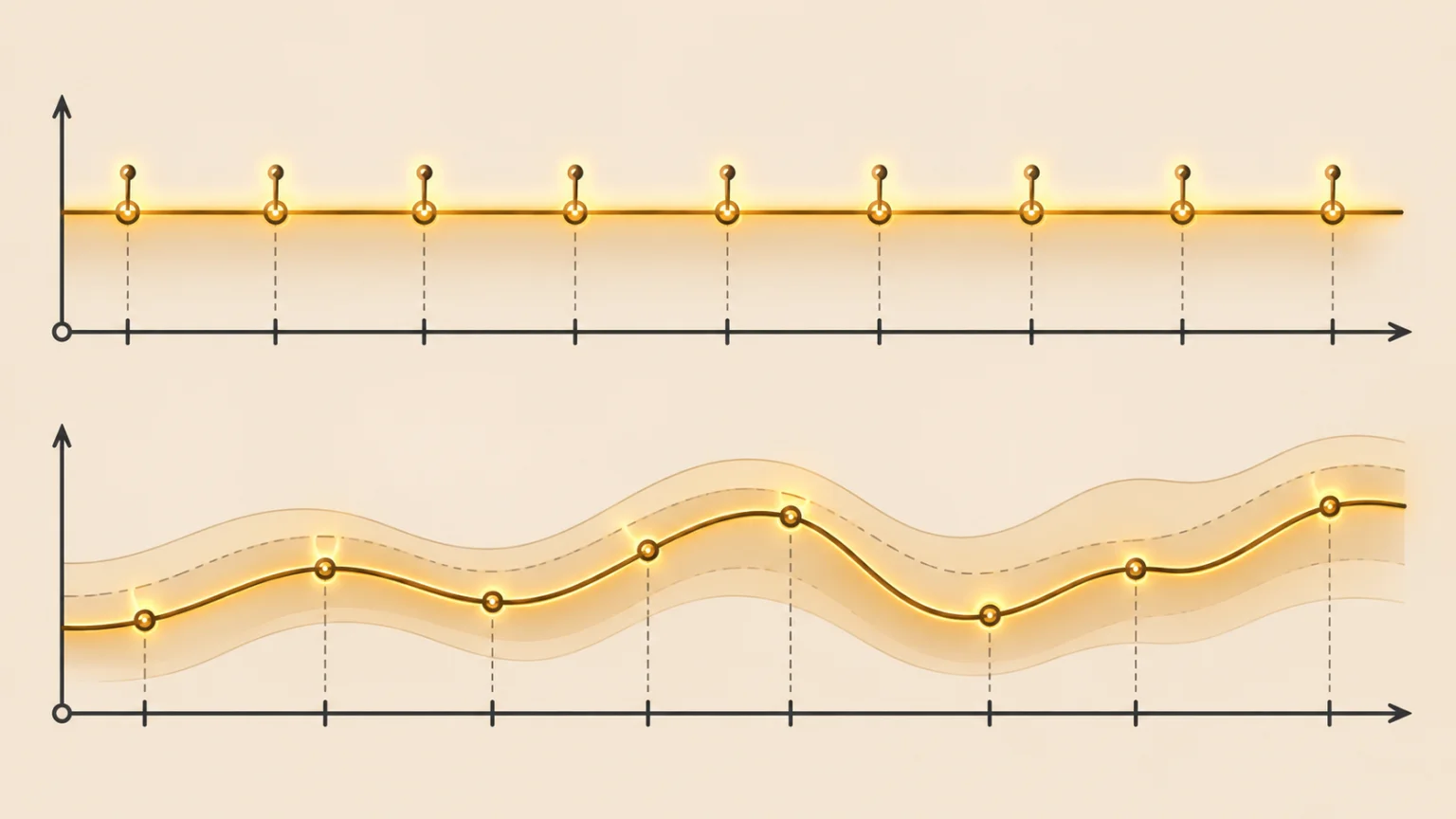
Rolling aliases update silently, altering scoring curves. Targeting jev-1.13 locks execution to an unchanging Jev 1.13 build (jev-1.13-20260917), preserving consistent decision distributions.
No Silent Build Changes
If alerts trigger at 85% confidence, a silent model update can push scores across that cutoff. A pinned Jev 1.13 build removes that source of drift.
Stable Answer Caching
Fixed builds keep answer probabilities stable over time, allowing safe caching of decision results across microservices.
Repeatable Regression Benchmarks
Run regression test suites against historical test cases to measure prompt changes without confounding upstream model updates.
Version comparison
Jev 1.13 vs Jev 1.14 vs jev-latest: Version Comparison
Review operational differences across release identifiers to select the right build for your workload.
| Feature | Jev 1.13 (Default) | Jev 1.14 | jev-latest |
|---|---|---|---|
| Type | Stable baseline | Next release | Rolling alias |
| Pinning | Fixed build | Fixed build | Unpinned |
| Supported Questions | noul, choice, score | noul, choice, score | Matches active build |
| Modalities | Text (site) / images (upstream*) | Text (site) / Box & images (upstream*) | Matches active build |
| Context Window (Site) | 32,000 tokens | 32,000 tokens | 32,000 tokens |
| Platform Support Status | Default model on this site | Available on this site | Rolling alias on this site |
| Recommendation | Keep if tuned on 1.13 | Use for new projects | Tracks upstream releases |
*Note: Box questions and multimodal image inputs are upstream capabilities not enabled on this platform.
Deploy Jev 1.13 when
- Calibrated probability cutoffs must not shift over time.
- Workflows require high cache reuse and fixed builds.
- Evaluating text states using noul, choice, or score.
Evaluate Jev 1.14 or jev-latest when
- Benchmarking test sets for future model migrations.
- Testing newly introduced upstream question nuances.
- Pipelines tolerate updates without breaking alert thresholds.
How to Migrate from Jev 1.13 to Jev 1.14
- Parallel evaluation: test your dataset against both
jev-1.13andjev-1.14to measure distribution shifts. - Verify build telemetry: log the
model_versionfield in responses to audit release lineage. - Re-tune score thresholds: adjust decision cutoffs before updating the
modelparameter in production.

Jev AI Use Cases You Can Run Now
Nine jobs teams hand to Jev AI instead of a general-purpose LLM. Each tab loads sample text and questions — edit either, run the Jev AI model, and read back answers you can drop into an if statement.
Pick the handler before you spend a model call on the reply
1Text
Inbound message205 / 100,000
2Questions
3 in this requestEditing is free. Sign in and you come straight back here with your text and questions — no card needed.
3Answers
Sample · real Jev outputSelect the single intent that best describes what the sender wants the business to do next.
- cancel_or_refund98%
- order_status2%
- account_help0%
- product_question0%
- returns_exchange0%
- other0%
Does answering this message require looking up a specific order or account record?
Could an automated flow resolve this end to end, without a human agent reading the message?
Recorded 2026-09-30 on typesafe/jev-1.13-20260917539 input tokensEdit the text or questions, then run for a live answer.
Developer integration
Executing Jev 1.13 in Code
Invoke Jev 1.13 via HTTP POST. Read model_version in the response to audit build lineage.
curl https://jev-ai.org/api/v1/systemone/ \
  -H "Authorization: Bearer $JEV_API_KEY" \
  -H "Content-Type: application/json" \
  -d '{
    "model": "jev-1.13",
    "state": "Support report: Double charge on invoice #1042.",
    "questions": {
      "intent": {
        "type": "choice",
        "instructions": "Support intent",
        "criteria": {
          "billing": "Invoice issue",
          "tech": "Bug report"
        }
      }
    }
}'const res = await fetch('https://jev-ai.org/api/v1/systemone/', {
method: 'POST',
headers: {
Authorization: `Bearer ${process.env.JEV_API_KEY}`,
'Content-Type': 'application/json',
},
body: JSON.stringify({
model: 'jev-1.13',
state: 'Support report: Double charge on invoice #1042.',
questions: {
intent: {
type: 'choice',
instructions: 'Support intent',
criteria: { billing: 'Invoice issue', tech: 'Bug report' },
},
},
}),
});
const { model_version, answers } = await res.json();
console.log(model_version, answers.intent.choice);See the Jev API overview and models documentation for schemas and error contracts. Always log model_version to audit build lineage.
Real cost
A Measured Jev 1.13 Run Costs $0.000023
On 2026-09-25 we submitted the intent-routing payload (getJevPreset('intent-routing')) to jev-1.13-20260917. At TypeSafe’s upstream list rate of $0.042 per million input tokens, 539 input tokens cost $0.000023, with output tokens free.
- Input tokens
- 539
- One run
- $0.000023
- 1,000 runs
- $0.023
- 1,000,000 runs
- $22.64
Only input is billed
Round trip 0.32s from a laptop
Identical state & questions
At upstream list rate ($0.042/M)
Playground runs cost 1 credit. API calls debit token balance ($0.12–$0.52/M input tokens, see pricing plans). Output tokens are free; failed calls are never charged.
Known boundaries
Official Model Jaggedness: The 9 Boundary Categories
TypeSafe documents 9 boundary categories where decision models require specific prompting or code pre-processing. Review official guidance at docs.typesafe.ai/model-jaggedness.
1. Literal reading
Jev 1.13 follows text literally. Write explicit conditions and criteria definitions for every option.
2. Math and numbers (including counting)
Decision models struggle with arithmetic. Compute counts, totals, and numbers in code before calling Jev 1.13.
3. Date and time comparison
Relative time math is error-prone in Jev 1.13. Extract date components and compare them in code.
4. Indirection
Indirect references degrade confidence. Flatten state text and name referenced entities directly.
5. Large state with irrelevant detail
Extraneous text dilutes attention. Filter state strings in code to include only facts needed for questions.
6. Adversarial content
Untrusted text in the state can steer the answer. Write defensive instructions and test edge cases before deployment.
7. Contradictory instructions & criteria
Conflicting rules cause erratic scores. Ensure criteria definitions strictly match instruction goals.
8. Choice option order
Overlapping choices can cause order-dependent shifts. Permute option order during validation to verify stability.
9. Generation
Jev 1.13 never outputs prose or code. Use generative LLMs for text synthesis and Jev 1.13 for structured classification.
Target workloads
High-Impact Production Workloads for Jev 1.13
From agent memory compaction to automated triage, Jev 1.13 delivers rapid categorical decisions without generative overhead.
Agent Context Compaction with Jev 1.13
AI agents accumulate long logs. Use Jev 1.13 to prune transient tool traces, keeping loops fast without unbounded token growth.
Fast Intent Routing & Triage with Jev 1.13
Route support tickets and webhooks to code handlers. Jev 1.13 recorded a 318 ms round trip in our test (539 input tokens, from a laptop, network included).
Rubric-Based Quality Scoring in Jev 1.13
Replace slow LLM judges with score questions in Jev 1.13, evaluating policy compliance without markdown parsing or format hallucinations.
Policy & Safety Guardrails with Jev 1.13
Audit agent actions against safety checklists with Jev 1.13. Binary noul questions intercept high-risk database mutations or payments before execution.

Frequently asked questions
Jev 1.13 FAQ
Common architectural, billing, and integration questions regarding the Jev 1.13 decision model.
What is Jev 1.13?
Jev 1.13 is TypeSafe’s pinned System One decision model for classification, grading, and routing. It evaluates text against noul, choice, or score questions, returning calibrated probabilities instead of prose. A pinned build keeps probability distributions consistent without guaranteeing byte-for-byte identical output.
Should I use Jev 1.13 or Jev 1.14?
Stay on Jev 1.13 if your thresholds are tuned on it. Use Jev 1.14 for new projects tuning fresh cutoffs. Always pin the version you calibrated against. Upstream image inputs and Box questions are not enabled on this platform.
How does Jev 1.13 AI differ from generative models like ChatGPT or Claude?
Generative models output prose. Jev 1.13 returns calibrated probabilities across predefined options without generating text. Output tokens are free, and up to 20 questions run in parallel per request.
Is Jev 1.13 open source or available for local download?
No. Jev 1.13 is a proprietary hosted service available via API. There are no weights or checkpoints for local self-hosting.
Does Jev 1.13 accept image or multimodal inputs?
On this platform, Jev 1.13 accepts text states only, up to 32,000 tokens. Upstream PNG and JPEG image inputs are not enabled here.
What tasks should not be sent to Jev 1.13?
Avoid creative writing, arithmetic, calendar math, indirect references, and bloated states. Jev 1.13 is designed strictly for categorical choice, score, and noul evaluations.
What is the difference between Jev 1.13, jev-1.13, jev-1.13.0, and jev-latest?
The model ID jev-1.13 is this site’s default. The ID jev-1.13.0 is TypeSafe’s upstream name. The alias jev-latest is an unpinned pointer tracking upstream updates that can shift probability curves.
How much does running Jev 1.13 cost?
Playground runs cost 1 credit. API calls debit token balance at plan rates ($0.12–$0.52/M input tokens, see the pricing page). Output tokens are free. The $0.042/M figure is TypeSafe’s upstream list rate.
Test Jev 1.13 with Your Own Decision Criteria
Experience calibrated decision scoring directly in your browser. Zero setup required.