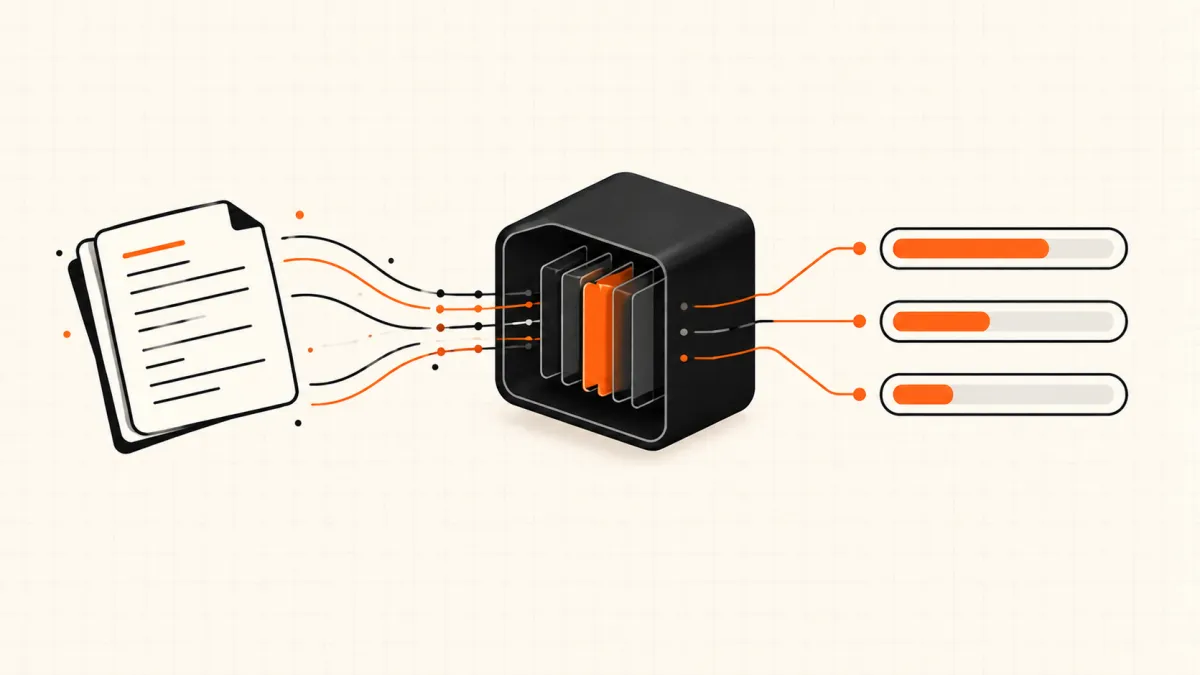

You search Jev AI download and the results look promising: a handful of sites with "Jev AI" in the domain, a Hugging Face repository called Open-Jev, a GitHub project offering a Jev desktop app as a .dmg or .7z installer. Each one looks like it could be the thing you are after. None of them is TypeSafe's model.
Here is the short answer: as of September 30, 2026 there is no official Jev AI download. TypeSafe AI has not released Jev's weights, there is no desktop or mobile app, and there is no jev model in Ollama. Jev runs as a hosted model you call over an API. If you are still getting oriented, our guide to what Jev AI is covers the model itself; this one is about what you can actually install.
That still leaves real options. The official SDKs are a download. Ollama shipped a Jev-compatible local API on September 29, with three open decision models behind it. And the fastest way to use the real Jev needs nothing installed at all.
To write this we went through TypeSafe's documentation and its GitHub organisation, the first 50 Jev-related models Hugging Face's search returns, the Ollama library and its September 29 announcement, and the OpenRouter and Vercel model catalogs. By the end you will know which search results to trust, how Jev uses (and does not use) your computer, and which route fits your situation.
Last updated September 30, 2026. Jev is in early access and this area is moving weekly — check the official pages linked below before you rely on any of it.
Is There a Jev AI Download? What Exists and What Doesn't
The words "download" and "install" cover five different things people want. Only some of them exist.
| What you are looking for | Official version exists? | What to do instead |
|---|---|---|
| A Jev desktop app (Windows or Mac) | ❌ No | Use a browser playground — nothing to install |
| A Jev mobile app | ❌ Not from TypeSafe | Same: the playground works in a mobile browser |
| Jev model weights to run yourself | ❌ No | Use an open "Jev-style" model if you must stay offline (see below) |
ollama pull jev | ❌ No | ollama pull nimble gives you a local model with the same request shape |
| An SDK so your code can call Jev | ✅ Yes | pip install typesafe-sdk or npm install @typesafe-ai/sdk |
| A skill that teaches a coding agent the Jev API | ✅ Yes | TypeSafe's agent skill for Claude Code, Codex and others |
So "how to download Jev AI" has an honest answer: you download a client, not the model. The model stays on TypeSafe's servers.
Why You Can't Download Jev: It Is a Hosted Model
Jev is proprietary. TypeSafe has not published its architecture, its weights or a technical paper — TechCrunch noted this at launch — and TypeSafe's models documentation says the same weights serve every account. There is no per-customer copy, no fine-tuned build and no file to hand you.
TypeSafe's public GitHub organisation reflects that. It holds SDKs for Python and JavaScript, the agent skill, an n8n community node, published evaluation code and a small adapter library. None of its repositories contains Jev's weights.
How does Jev AI use my computer?
It doesn't run on it. When you use Jev, nothing is installed and no model loads on your machine; the text you send — the state and your questions — travels to a hosted API, and typed answers with probabilities come back. Your computer's only job is to make the HTTPS request.
That has two consequences worth knowing:
- Your data leaves your machine. TypeSafe states that Jev is not trained on customer requests or responses and offers zero data retention to enterprise customers. If you reach Jev through another provider, that provider's terms apply as well.
- There is no offline mode. No connection, no Jev. If that is a hard requirement, the local section below is for you.
What the "Jev Download" Results Actually Are
This is the part no other guide lays out. Every result on the first page for this query falls into one of four buckets, and knowing the bucket tells you what you are dealing with.
| What you found | What it really is | How to treat it |
|---|---|---|
| A site with "Jev AI" in the domain | An information site or a reseller that calls the hosted model. Some quote their own prices — one first-page site lists input at $0.084 per million tokens, double TypeSafe's list price | Check who you are paying and what their rate is. None of them can give you weights |
| A Hugging Face model named Open-Jev, JevK5, JEV-27B, Jev-Style… | A community model. The ones we checked are built on Qwen or Gemma bases: a LoRA adapter on Qwen3.5-9B, a 4B model whose card says it is not affiliated with TypeSafe, a 27B "student" trained to agree with Jev 1.13's answers | Useful to experiment with. It is not Jev, and its accuracy and calibration are its own |
| A GitHub "Jev" desktop app with an installer | Not from TypeSafe, which ships no desktop app. One first-page result is a "Jev" trading terminal distributed as .7z and .dmg files that asks for your exchange API keys | Treat any binary "Jev" installer as untrusted, and never give it exchange, wallet or cloud keys |
| An SDK, the agent skill or an n8n node | Official client code from TypeSafe | This is the only "download" that comes from TypeSafe itself |
Rule of thumb: Jev's weights are not on the internet. Anything labelled "Jev download" is either client code, a wrapper around the hosted model, or somebody else's model with Jev's name on it.
A quick disambiguation while you are filtering results: searching "jev download" on its own can also surface pages about JEV, the Japanese encephalitis virus, and its vaccine. Those are unrelated to the AI model.
Jev AI Local and Ollama: What Actually Runs on Your Machine
If you need decisions without a network call — air-gapped data, strict residency rules, or a game loop that cannot wait 300 ms — you cannot have Jev itself. What you can have, as of this week, is the same interface on an open model.
Ollama now speaks the Jev API
On September 29, 2026 Ollama announced support for Jev-style decision models. From Ollama 0.35, a local server exposes a /v1/systemone endpoint that takes the same state plus typed choice, score and noul questions that Jev does. Three models launched with it:
nimble— an open-source 9B decision model from Bespoke Labstev1— an experimental 4B decision model from Together AItev1:0.8b— an experimental 0.8B version of the same
Getting started is two commands, taken from Ollama's announcement:
ollama pull nimble

curl http://localhost:11434/v1/systemone -d '{
  "model": "nimble",
  "state": "Our checkout has returned 500 errors since 9am.",
  "questions": {
    "label": {
      "type": "choice",
      "instructions": "Which label fits this ticket?",
      "criteria": {"billing": null, "bug": null, "account": null}
    }
  }
}'
Ollama also shows TypeSafe's official Python SDK working against the local server by pointing it at your machine:
export TYPESAFE_BASE_URL=http://localhost:11434
export TYPESAFE_API_KEY=ollama
export TYPESAFE_DEFAULT_MODEL=nimble
That is a genuinely useful property: code written against the SDK can move between a local model and hosted Jev by changing environment variables.
How close are the local models to Jev?
Ollama published a comparison on Bespoke Labs' benchmark — 13 public datasets with human labels, 3,880 decisions in total. The local models were run on Ollama; the Jev figure comes from Bespoke Labs' own published run on the same decisions.
| Model | Where it runs | Mean accuracy |
|---|---|---|
| Jev 1.13 | TypeSafe (hosted) | 76.0% |
| Nimble 9B | Your machine, via Ollama | 75.7% |
| Tev1 4B | Your machine, via Ollama | 73.3% |
| Tev1 0.8B | Your machine, via Ollama | 63.5% |
Two things to take from that table. On this benchmark, a 9B model on a laptop comes within a fraction of a point of Jev on average. But an average across 13 datasets hides how any one model does on your task, and it says nothing about calibration — whether a 0.9 really means right nine times out of ten, which is the property Jev is trained for. Ollama itself labels the Tev1 models experimental. Run your own examples through both before you switch.
A hybrid: keep Jev, answer familiar requests locally
A third option sits between the two. The Register reported on Jevstiller, an open-source project that puts a small local "student" model in front of Jev. The student learns from your own Jev traffic, answers the requests it is confident about on your hardware, and forwards everything else to Jev with your key. A fixed 2% of requests always goes to Jev so the project can measure how often the student agrees.
Its authors are careful about the limit, and so should you be: agreement with Jev is not the same as accuracy. It is a cost and latency optimisation for workloads you already run on Jev, not a way to get Jev offline from day one.
If you want the self-hosted route in more depth, our comparison of Jev and the OpenJev / SemIf project covers the logit-reading approach that runs on a consumer GPU.
How to Install Jev AI (What "Install" Really Means)
For the real Jev, installing means one of four things, from zero setup to production.
- Install nothing. Open the Jev AI playground, pick one of the preloaded scenarios and edit the text and questions — no account needed for that. Sign in for five free credits to run it, with no card and no waitlist.
- Call the API with no library at all. Create a key under Settings → API keys and send one request. This is the exact shape from our API docs:
curl https://jev-ai.org/api/v1/systemone/ \
  -H "Authorization: Bearer $JEV_API_KEY" \
  -H "Content-Type: application/json" \
  -d '{
    "model": "jev-1.13",
    "state": "Order #8814 arrived with a cracked screen. Third time this quarter.",
    "questions": {
      "refund_requested": {
        "type": "noul",
        "instructions": "Is the customer asking for a refund?"
      }
    }
  }'
- Install an SDK. TypeSafe's Python SDK installs with
pip install typesafe-sdk(Python 3.10 or later) and the JavaScript SDK withnpm install @typesafe-ai/sdk(Node.js 20 or later). Both read aTYPESAFE_API_KEYfrom the environment and call TypeSafe's own API. - Process a file instead of writing code. Upload a CSV, TSV, TXT or JSONL file to batch processing, choose the questions every row is asked, and export the answers with their probabilities — up to 1,000 rows per batch.
If what you actually want is for Claude Code, Cursor or Codex to write Jev integrations for you, that is a different install — TypeSafe's agent skill — and we walk through it in using Jev with Claude Code and Cursor.
Which Route Fits You?
| Your situation | Best route | Why |
|---|---|---|
| You want to see what Jev does before anything else | Playground | Nothing to install, results in seconds |
| You are wiring Jev into an app | API or SDK | The real model, typed answers, pay per input token |
| You have a spreadsheet of tickets, reviews or rows | Batch | No code; export answers with probabilities |
| Data cannot leave the machine | Ollama with nimble | Same request shape, runs locally; not Jev |
| You already run Jev at volume and want to cut calls | A local student in front of Jev | Answers familiar requests locally, forwards the rest |
Rule of thumb: if the decision matters and you can send the data out, use the hosted model and measure it. Go local when the constraint is real — privacy, residency, latency — not because a download sounds more permanent.
FAQ
Is there a Jev AI app for Windows or Mac?
No. TypeSafe's site and documentation list no desktop or mobile app. Jev is used through a browser playground or an API. Treat any "Jev" installer you find as third-party software.
Can I run Jev AI in Ollama?
Not Jev itself — there is no jev model in the Ollama library. Since Ollama 0.35 you can run Jev-style decision models such as nimble and tev1 through the same /v1/systemone request shape, which makes it easy to compare them with the hosted model.
Are the Open-Jev models on Hugging Face official?
No. They are community projects built on open models such as Qwen and Gemma, some trained on Jev's answers. Several say explicitly that they are not affiliated with TypeSafe. Judge each on its own model card and your own tests.
Is there a free Jev AI download?
There is nothing to download, free or paid, beyond the open-source SDKs. You can try Jev for free in a browser; our guide to whether Jev is free covers every free route and where they stop.
Will TypeSafe release Jev's weights?
TypeSafe has made no announcement about releasing weights as of September 30, 2026. Its public code — SDKs, the agent skill and integrations — is listed in our look at Jev on GitHub.
Does Jev store or train on what I send?
TypeSafe says Jev is not trained on customer requests or responses, and offers zero data retention for enterprise customers. The details are in its Data Processing Agreement and Privacy Policy.
The Bottom Line
Jev AI has no download because it is not a program — it is a hosted model, and the useful question is how you reach it.
- There are no official weights, no desktop or mobile app, and no Ollama build of Jev.
- The official downloads are client code: the Python and JavaScript SDKs and the agent skill.
- For offline decisions, Ollama's Jev-compatible API with
nimbleis the closest thing today, and it scored within a point of Jev on one public benchmark. - Look-alike sites and installers that use Jev's name are third-party; never give one your exchange, wallet or cloud keys.
The quickest way to find out whether you need anything installed at all is to try Jev on one real example. Open the playground, paste in a ticket or a review, and see what comes back.
Sources
- Models — TypeSafe AI docs — Same weights for every account, no fine-tuning, data handling and zero data retention.
- TypeSafe Python SDK — TypeSafe AI docs — What the official SDK installs and how it authenticates.
- Ollama now supports Jev-style decision models — Ollama — Ollama 0.35's
/v1/systemoneendpoint, the three launch models and the benchmark table. - Open source tool distills Jev so you can run it locally — The Register — How the Jevstiller hybrid works and its stated limits.
- A new kind of AI model from a ChatGPT inventor is thrilling developers — TechCrunch — Jev's unpublished architecture and weights.
Availability, model lists and benchmark figures are as published on September 30, 2026. The benchmark numbers are Ollama's and Bespoke Labs', not ours; the checks of Hugging Face, GitHub and search results reflect what those pages showed on that date.